The official documentation actually has a detailed tutorial, but some images are missing, so I've put together a supplementary guide here.
1. Sign Up
Go to the Algolia website, click Get started to log in or sign up. I'll skip this step.
2. Set Up App
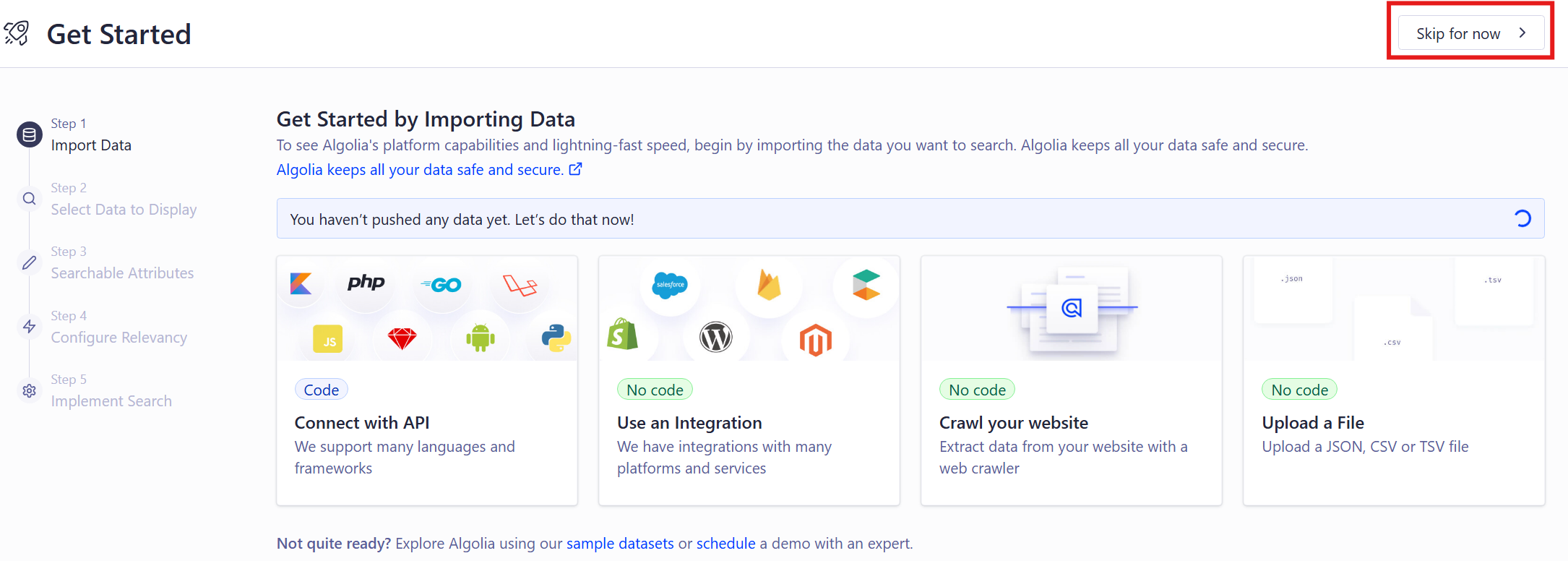
The first time you log in, you'll see a guided setup prompt asking you to create something. We don't need that—click Skip.
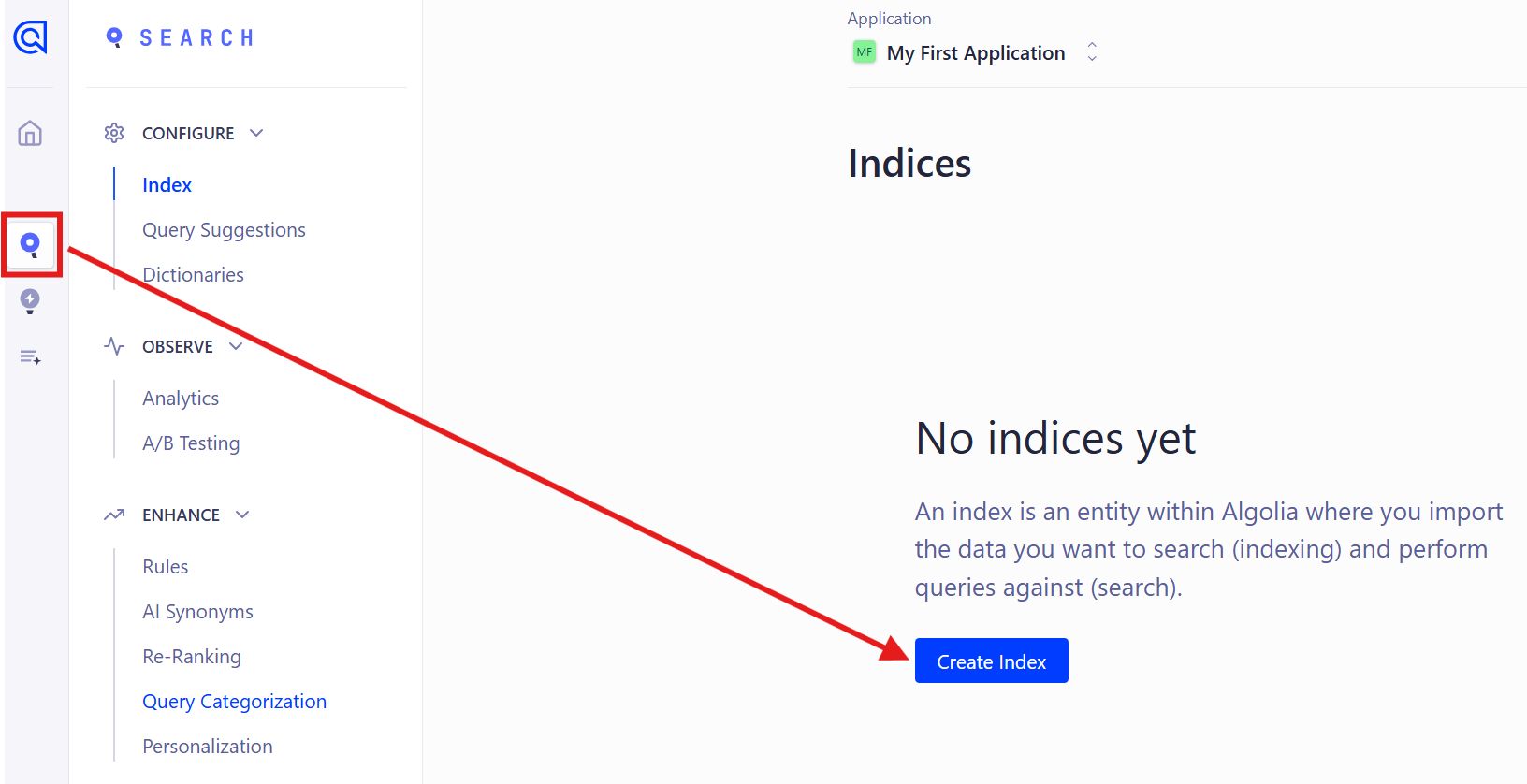
A default App will be created. Click Search on the left, then click Create Index.
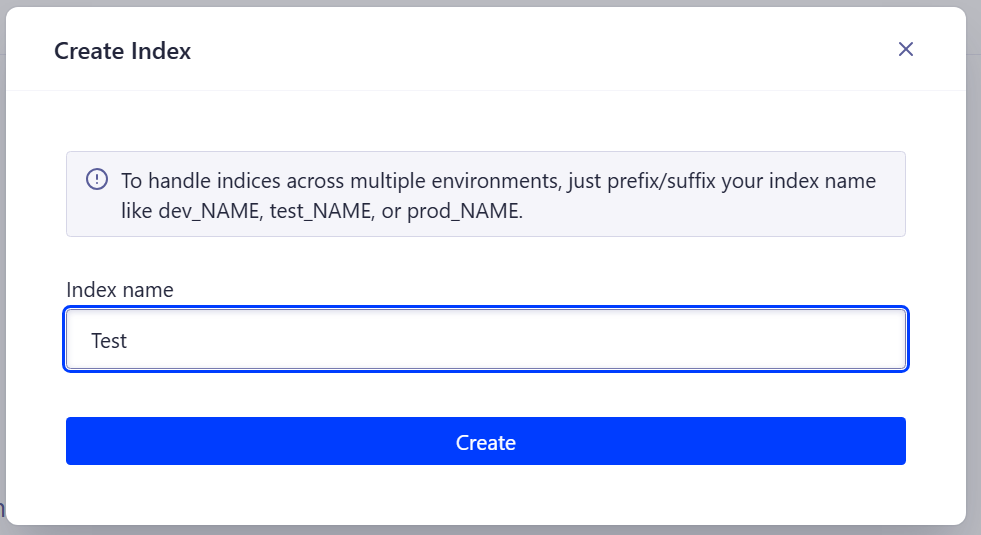
Give it a name. You'll use this Index name when deploying the backend.
3. API Settings
Click Settings in the bottom-left corner, then API Keys.
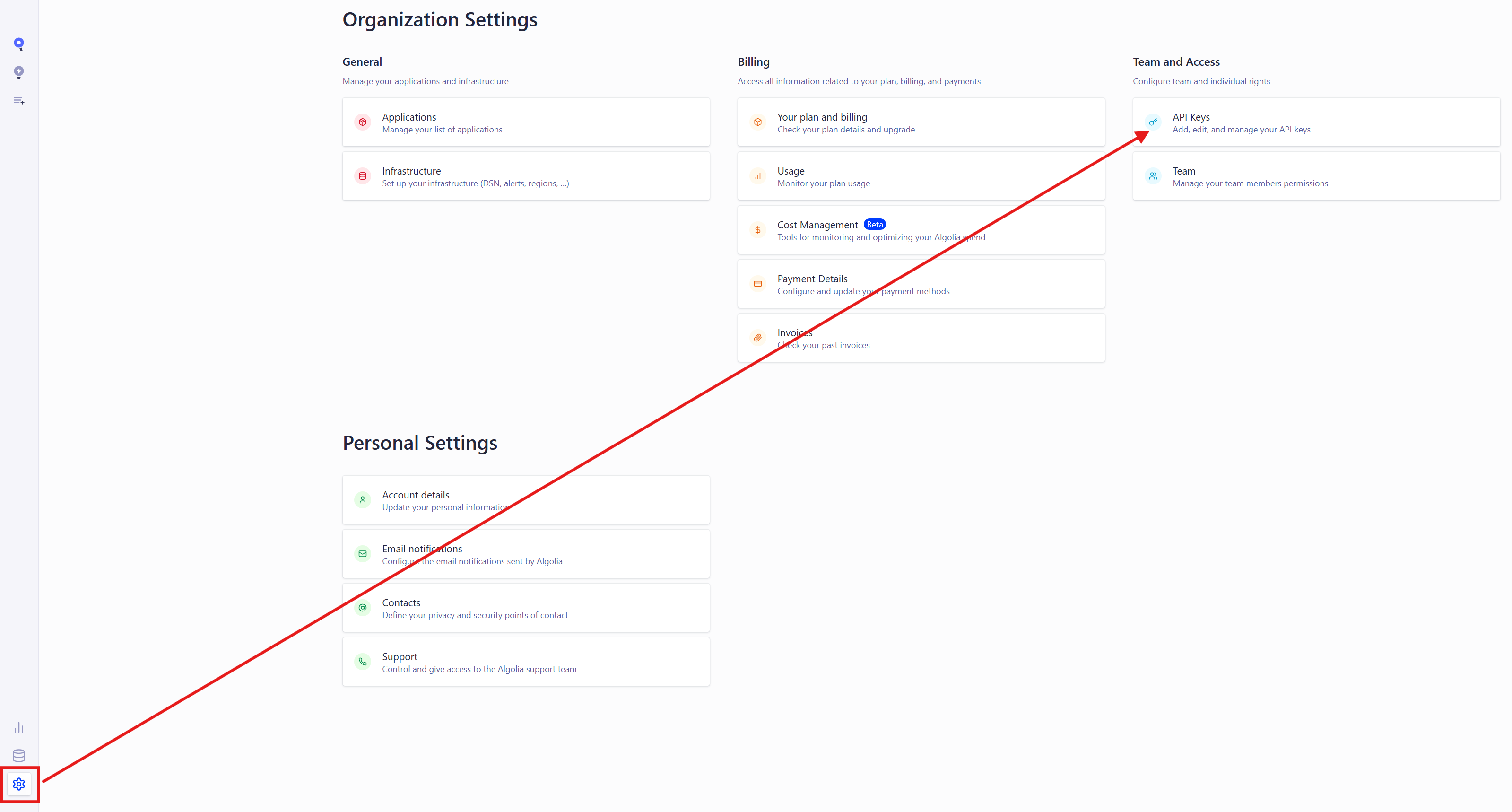
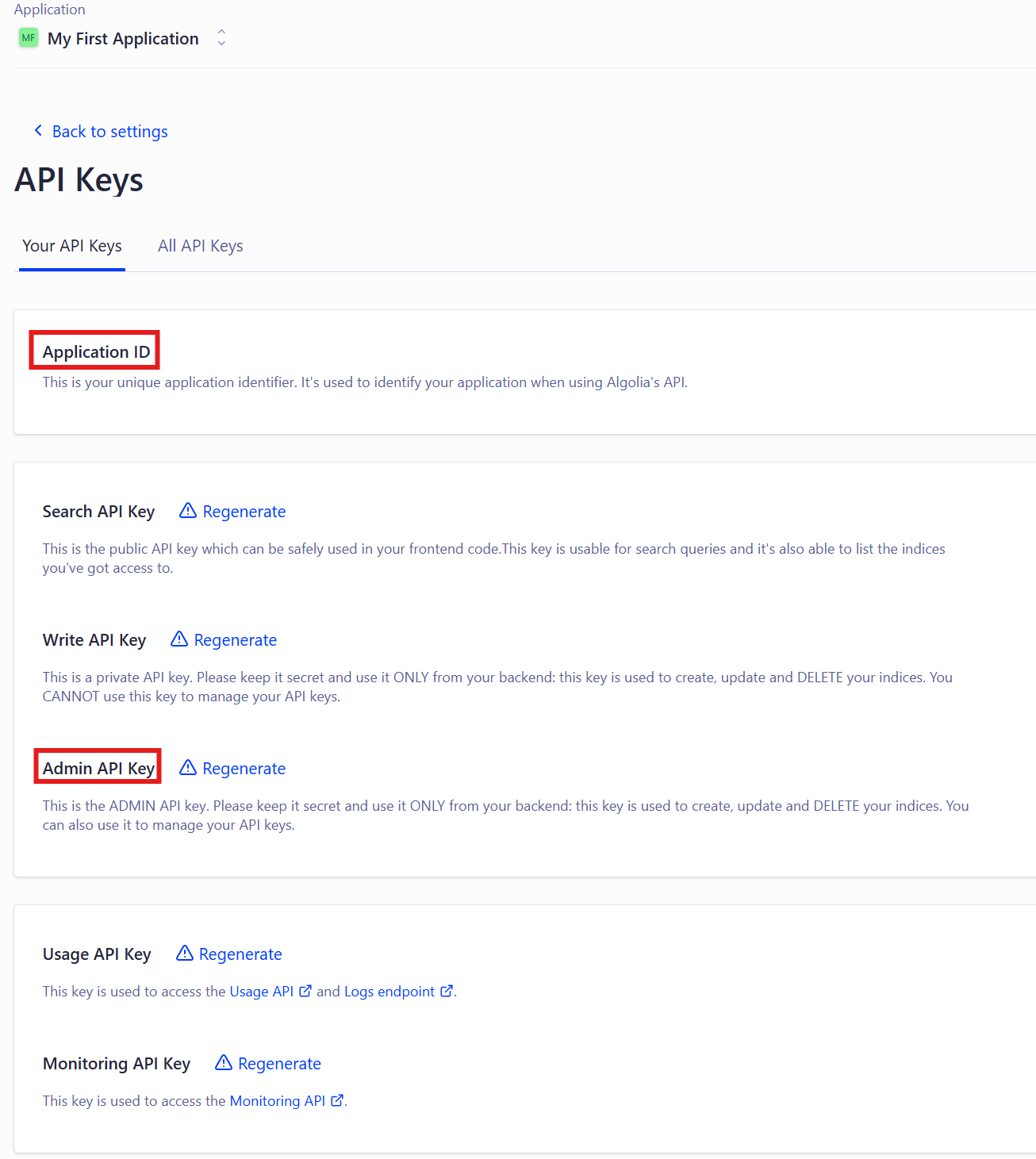
Note down the Application ID and API Key shown here.
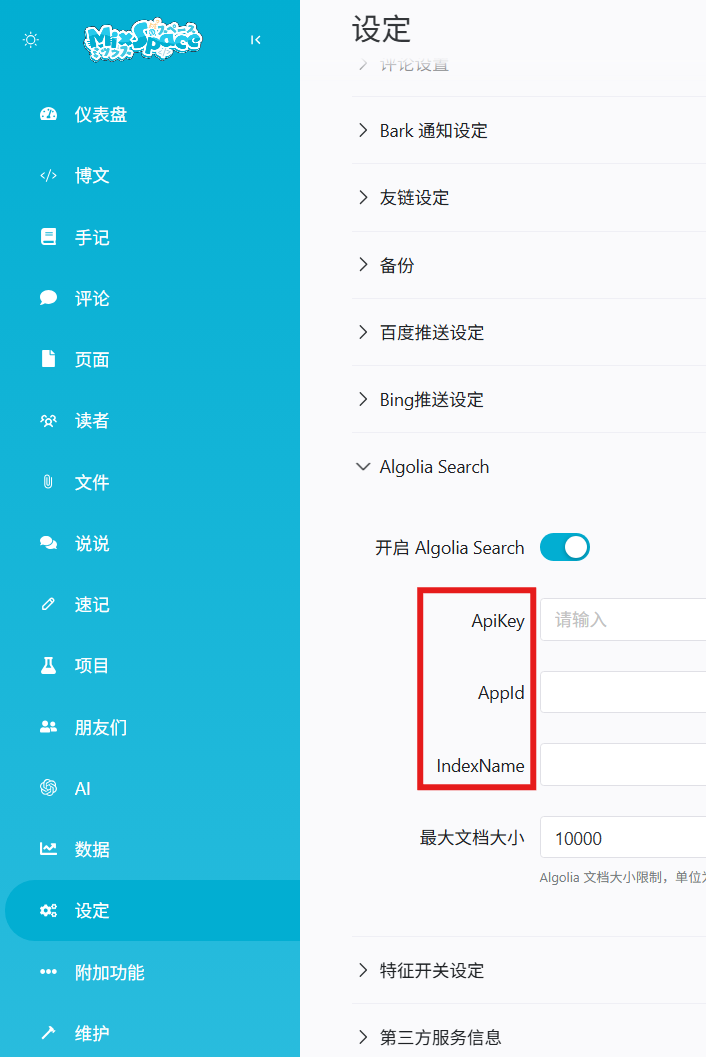
Open the MixSpace backend, go to Settings → System → Algolia Search, and enter the credentials.
4. Done
That's it! After waiting a while for the data to sync, the search feature will be ready to use.